Performing a calculation
Calculator inputs, cost summary output, and calculation history.
To calculate a driveaway price, open the Calculator page and complete the required fields uing the below to assist.
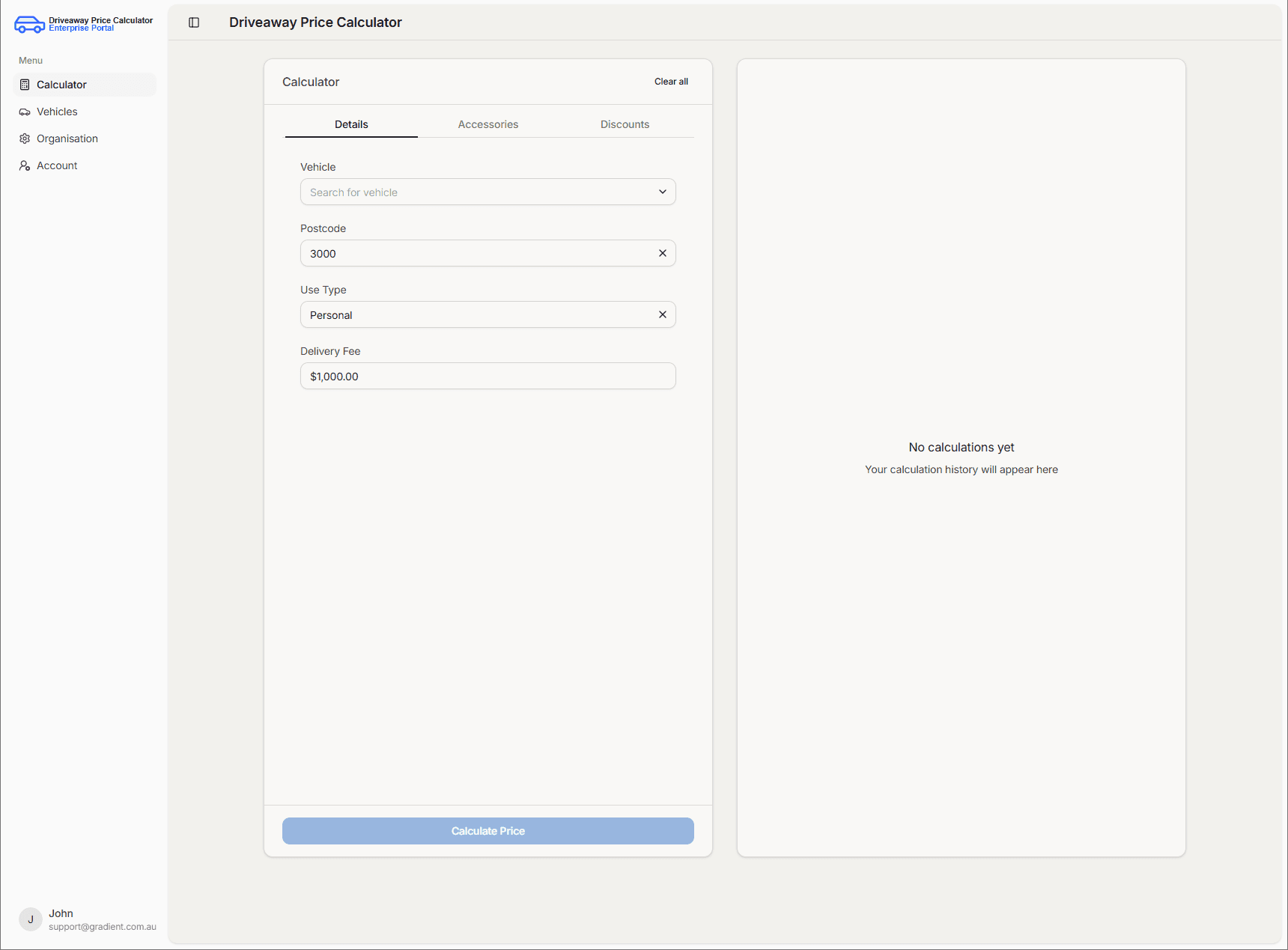
Input fields
Vehicle
This field is a drop-down of the vehicles you have created in your vehicle list. Select the vehicle to base the calculations on; its details are applied automatically.
Postcode
Enter or select the postcode where the vehicle will be registered. The postcode defaults to the capital city of the state chosen during account setup.
Use Type
Choose Personal or Commercial depending on intended use. Defaults to Personal.
Delivery Fee
The price the manufacturer charges to deliver the vehicle. The default reflects the delivery fee from your previous calculation when available.
Discounts & Accessories
Adding discounts or accessories is optional and only required if they affect the dutiable value of the vehicle.
The lock icon located next to the Select type drop-down menu allows users to lock accessories and discounts such that they remain when switching pages. If the lock feature is not used, the accessory/discount will automatically be removed when you navigate away from the Calculator page.
Discounts
For each discount, enter the name, amount (with a leading minus sign where applicable), and type of discount.
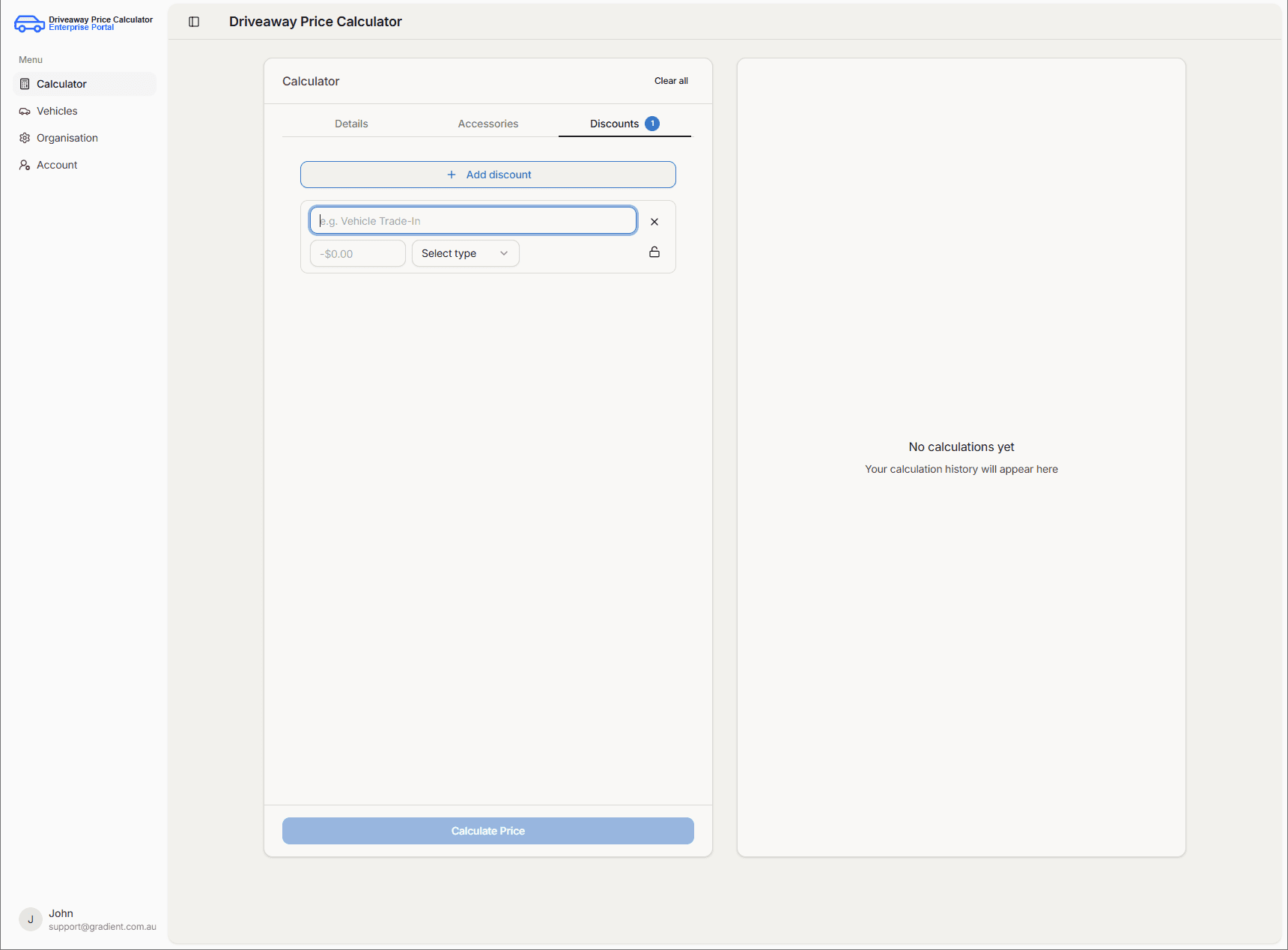
Discount types include:
| Type | Description |
|---|---|
| Manufacturer | Discounts offered by manufacturers at time of purchase. |
| Dealership | Discounts unique to the dealership at time of purchase |
| Fleet | Discounts offered for the purchse of many vehicles at one time. |
| Trade-in | The value of trading in an old vehicle to lower the driveaway price of a new vehicle |
Accessories
For each accessory, enter the name, cost, and type of accessory.
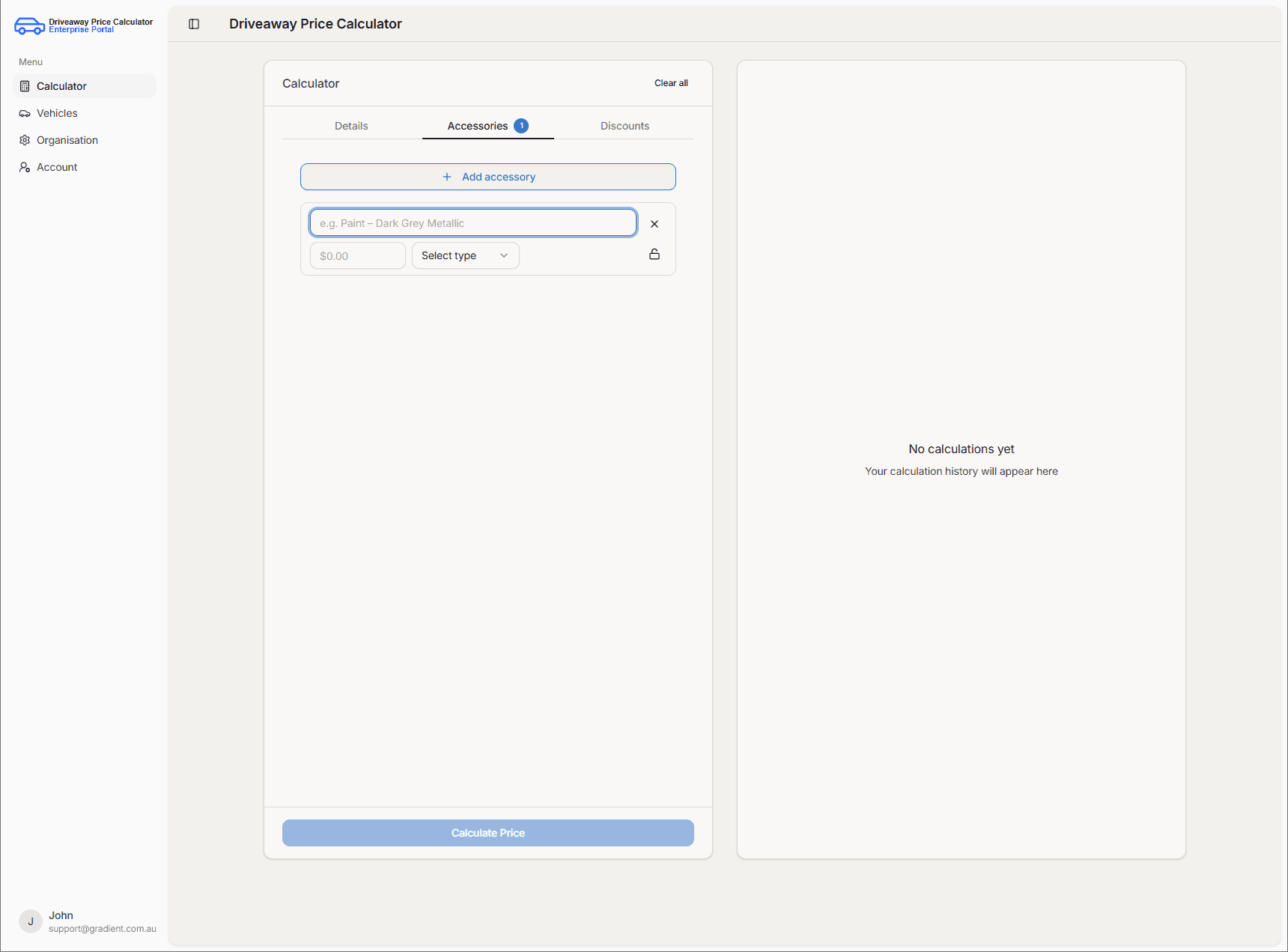
Accessory types include:
| Type | Description | Example |
|---|---|---|
| Manufacturer | An accessory added at the manufacturing stage. | Custom paint |
| Aftermarket | Vehicle customisation products made by companies other than the original vehicle manufacturer added after purchase. | Bull bars and towbars |
| Transmission | The transmission of the vehicle. | Automatic Transmission |
Understanding the results
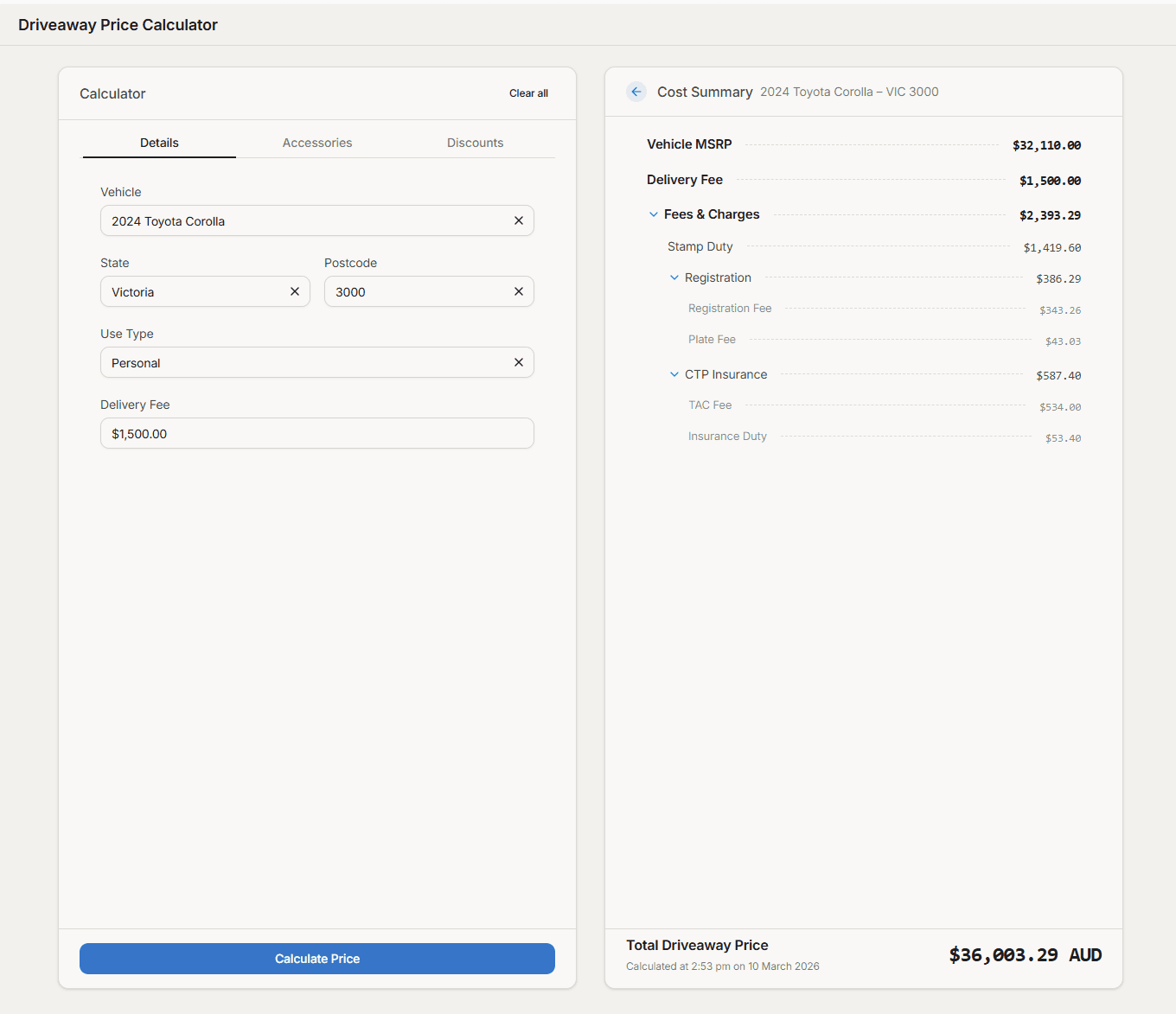
After you complete the required inputs and choose Calculate Price, the Cost Summary panel shows the breakdown and total at the bottom.
All dollar amounts in the calculator (including the cost summary, line items, and recent calculations list) are in Australian dollars (AUD).
Only bold line items feed into the total driveaway price — typically Vehicle MSRP, Delivery Fee, Fees & charges, and Accessories when applicable.
Lighter sub-items break down their parent (for example, Fees & charges into stamp duty, registration, and state-specific components such as insurance, plate fees, or motor vehicle tax).
Items calculated as zero are not shown.
Example: 2024 Toyota Corolla
Calculation History
Past calculations appear in Recent calculations on the panel beside the calculator. Open any entry to view its cost summary again.
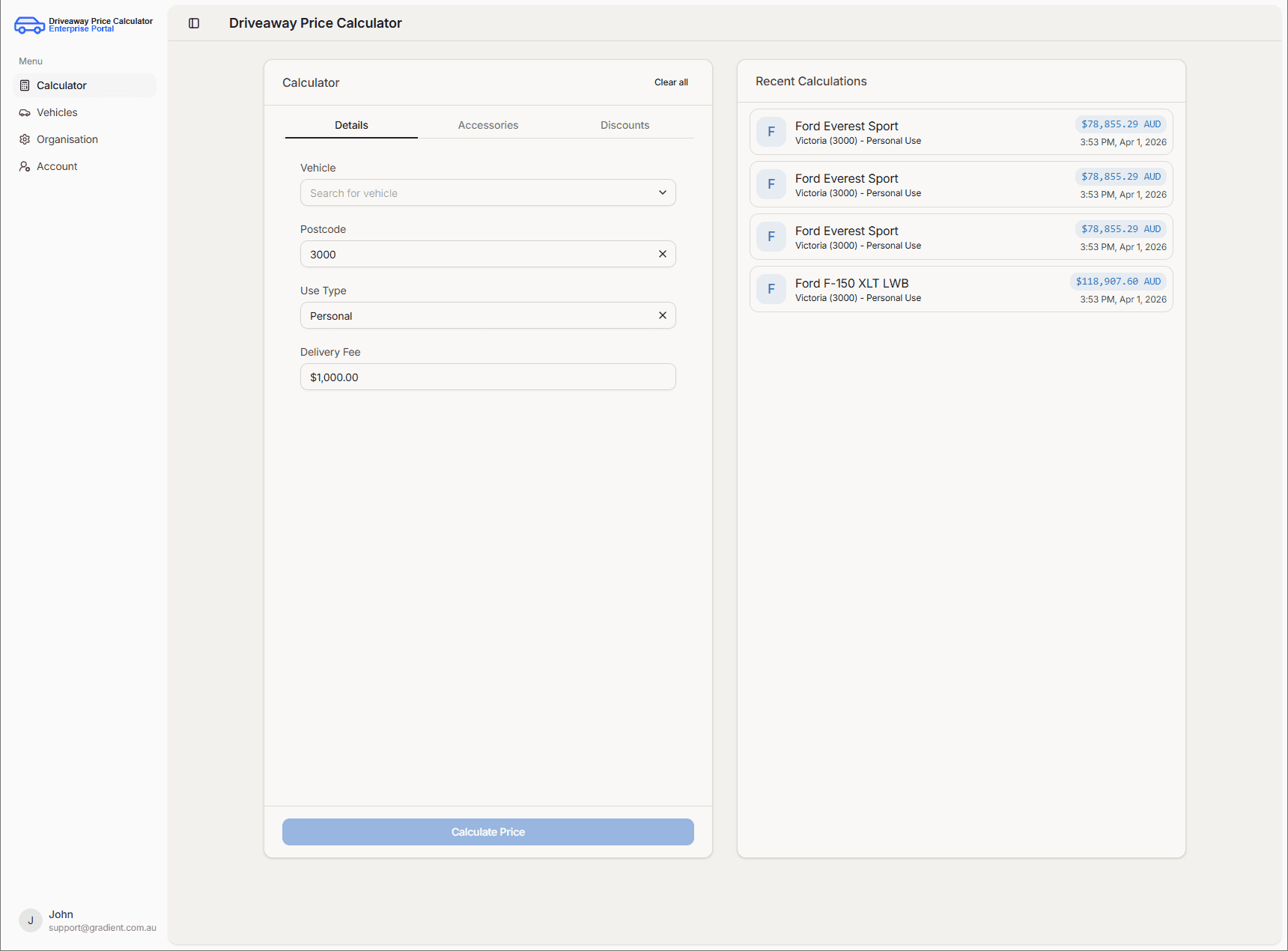
Please note these past calculations will only appear for the current user, not organisation-wide, and that they are accurate at the time the calculation was initially run. The calculation would need to be run again if values have since been updated.