Manage subscriptions
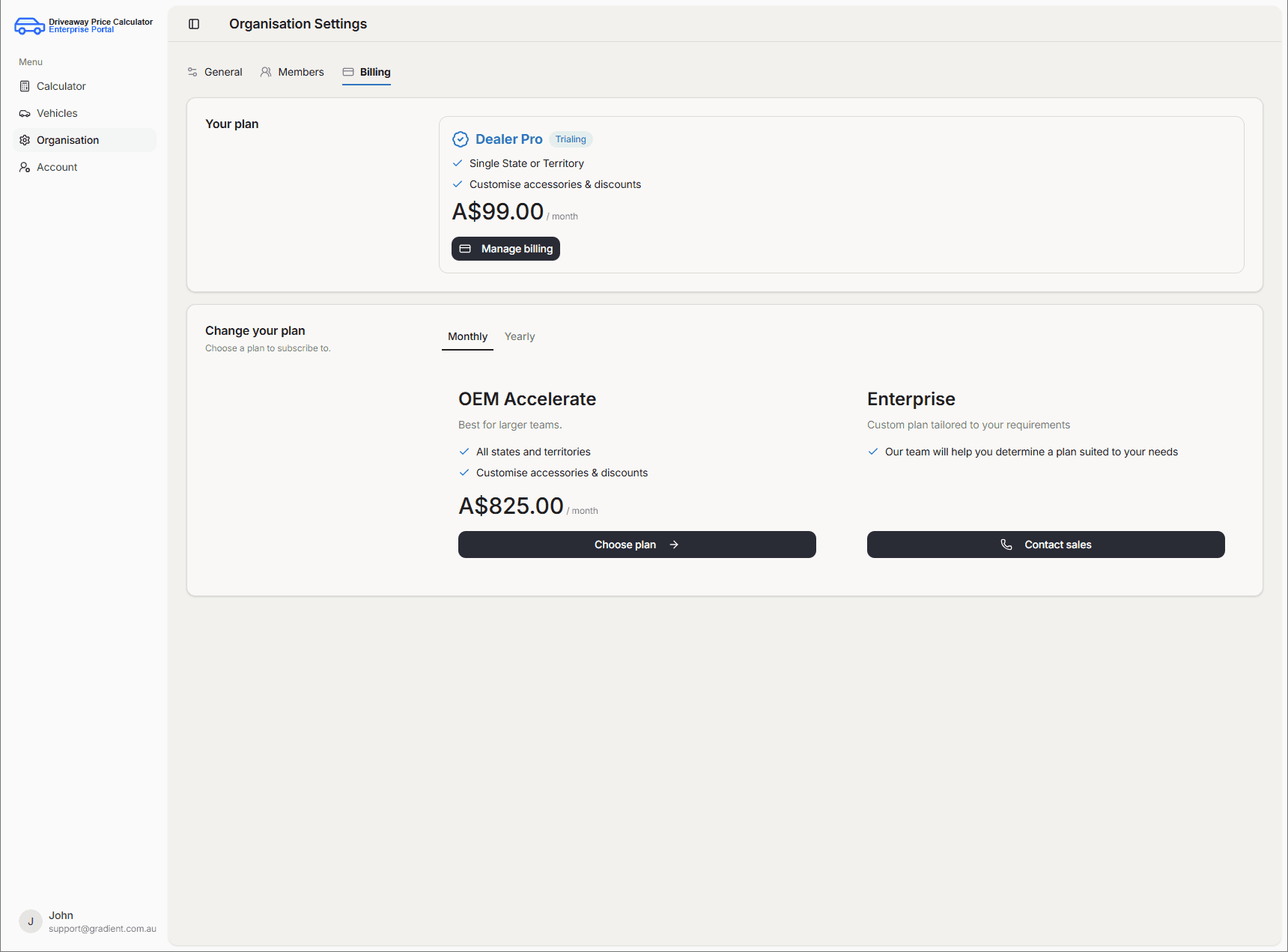
View your plan and manage subscriptions through the Organisation billing area.
View subscription details
Open Organisation, then the Billing tab, to see your current plan.
You can also see other existing plans below.
Update subscription type
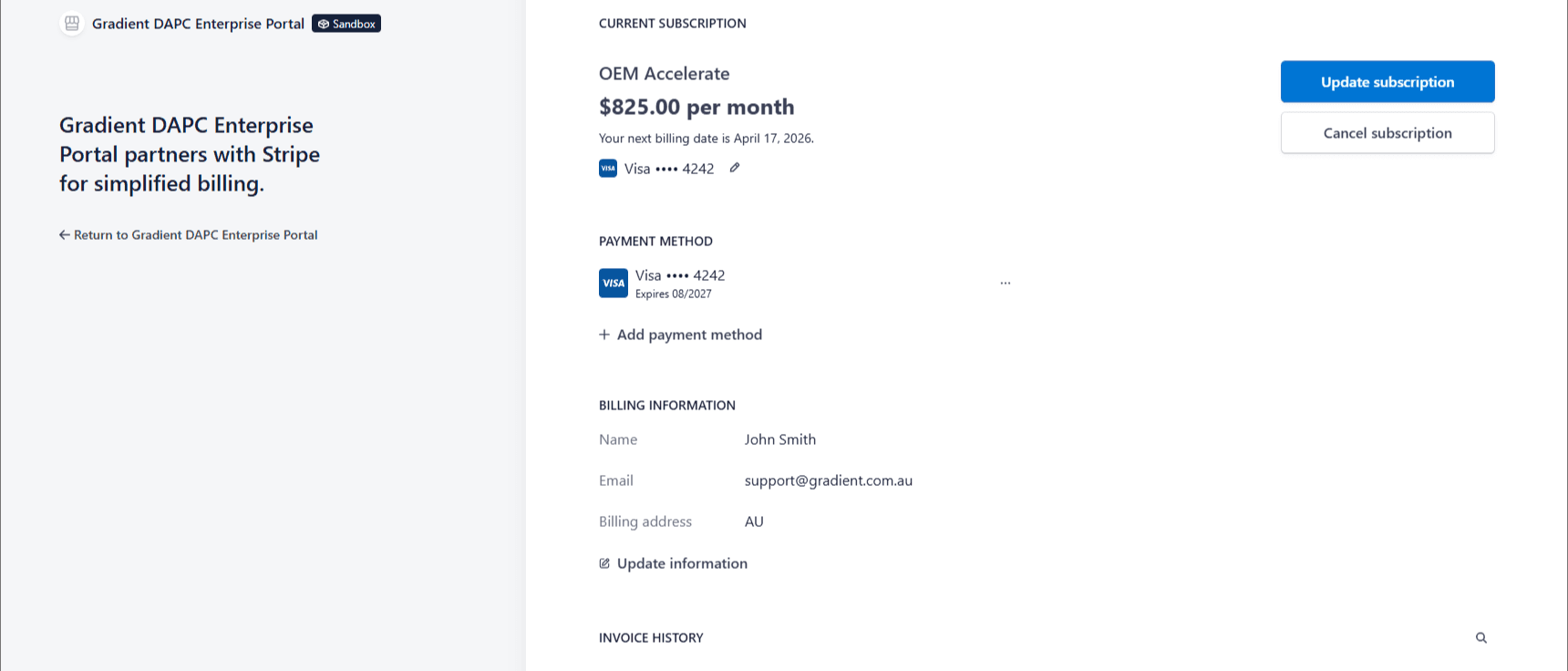
Under Manage billing you are taken to an external site powered by Stripe where you can change or cancel the subscription.
You can also view and update payment details, billing information, and invoice history there.
To update or view any subscription details, you must confirm your email, then a link will be sent to you to verify your identity for security purposes.
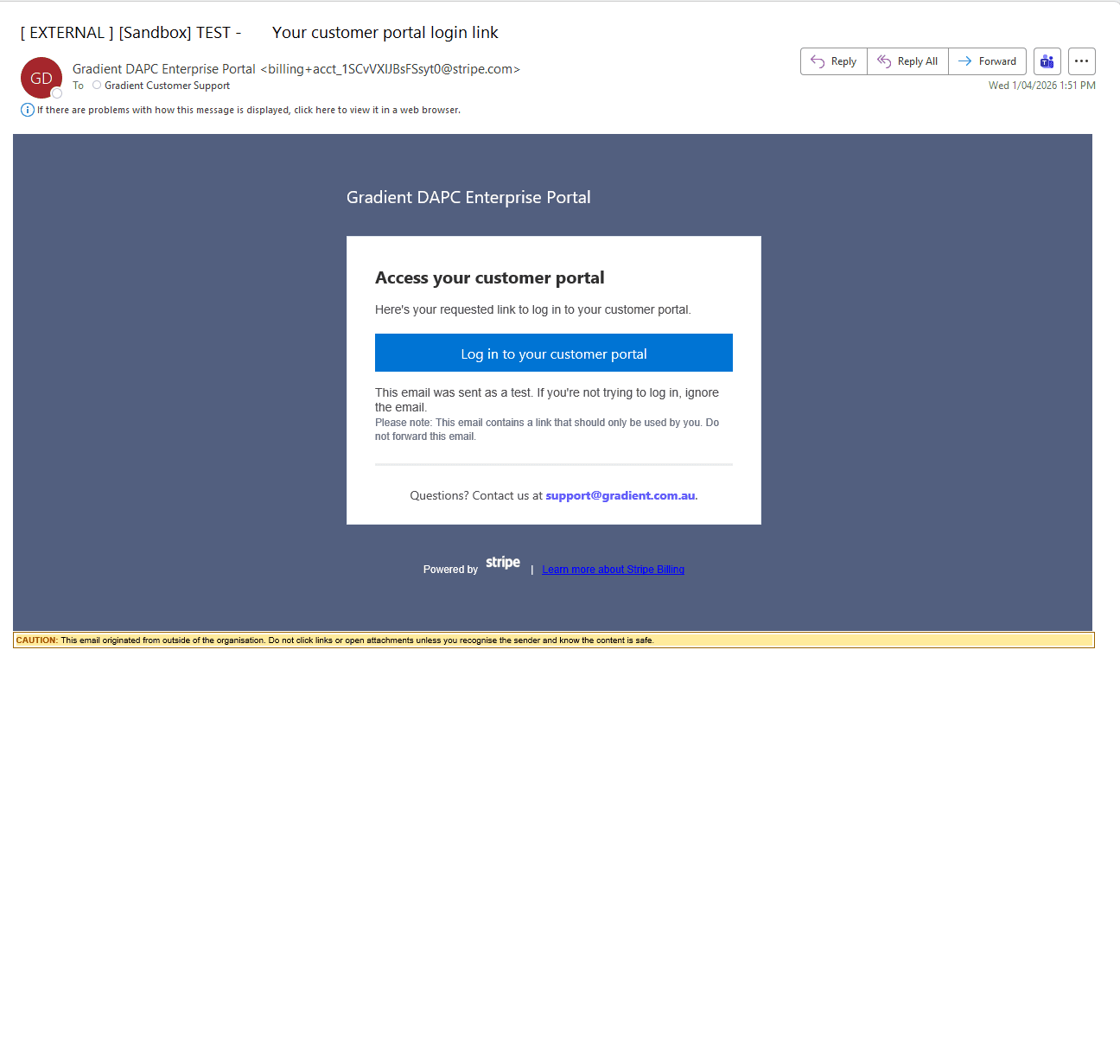
The email link will take you to the customer portal where you can manage your subscription as desired.
Alternatively, you can quick subscribe to a different plan by clicking Choose plan, which will also prompt you to the billing portal where you need to follow the steps above.